Rebalance Your Workforce in Seconds
Visual queue management with drag-and-drop agent assignment, skills-based matching, and configuration snapshots for instant rollback.
See Queue Management Demo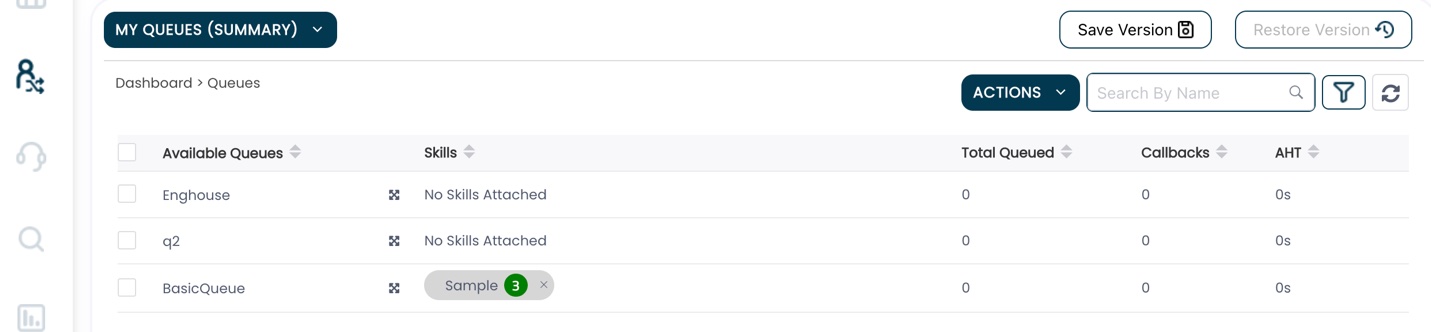
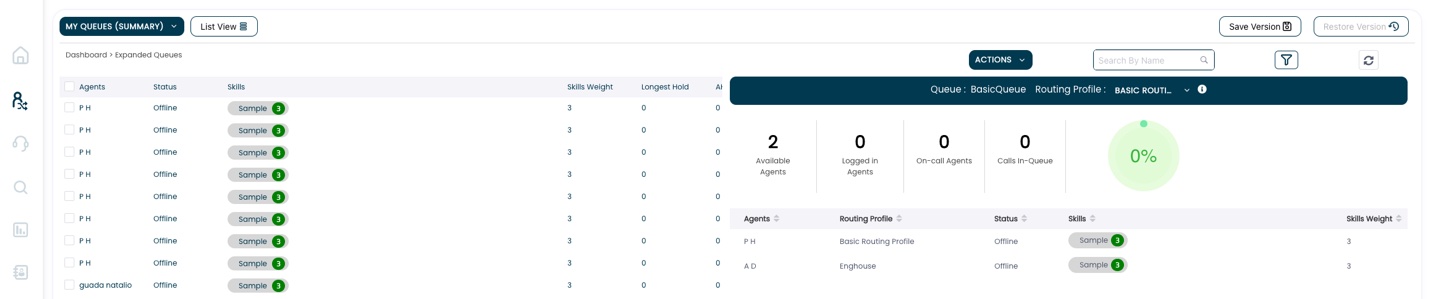
Skills-Based Routing Made Visual
Define skills, assign proficiency levels, and match agents to queues based on capabilities—all without touching the admin console.
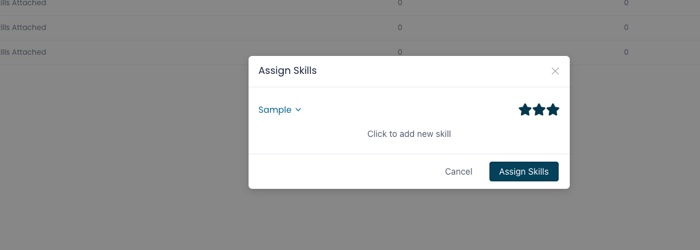
Visual Queue Overview
Single screen showing all queues, associated agents, and routing profiles. Real-time metrics per queue let you filter and observe before taking action.
- Single screen showing all queues, associated agents, routing profiles
- Real-time metrics per queue
- Filter and observe before taking action
- Queue-level performance at a glance
Drag-and-Drop Assignment
Select agents and drag to different queues. Copy (creates new routing profile) or Move (updates existing)—no need to navigate Amazon Connect admin console.
- Select agents and drag to different queues
- Copy (creates new routing profile) or Move (updates existing)
- No need to navigate Amazon Connect admin console
- Instant visual feedback
Skills-Based Matching
Define skills as arbitrary tags and assign to both agents and queues. 3-star proficiency levels let you filter candidate agents by capability.
- Define skills as arbitrary tags
- Assign skills to both agents and queues
- 3-star proficiency levels
- Skills used as filters for candidate agents
Configuration Snapshots
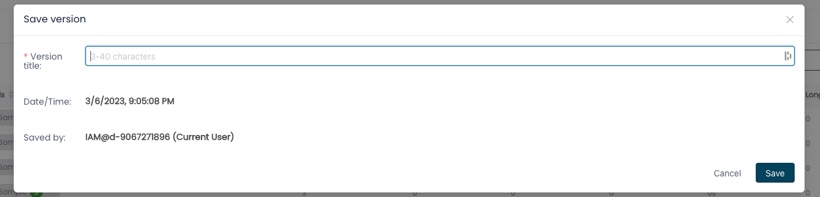
Save versions of your current configuration and rollback to previous states instantly. View change history within ConnectPath.
- Save versions of current configuration
- Rollback to previous states instantly
- View change history within ConnectPath
- Audit trail for compliance
Self-Service Routing Profile
Enable agents and supervisors to change their own routing profile. No admin intervention required.
- Enable agents/supervisors to change their own routing profile
- No admin intervention required
- Permission-controlled access
- Reduces IT tickets
Related Supervisor Tools
See Queue Management in Action
Request a demo to see how ConnectPath makes workforce rebalancing effortless.
Request a Demo